Best Internet Radio Hosting Platforms in 2026: Compared
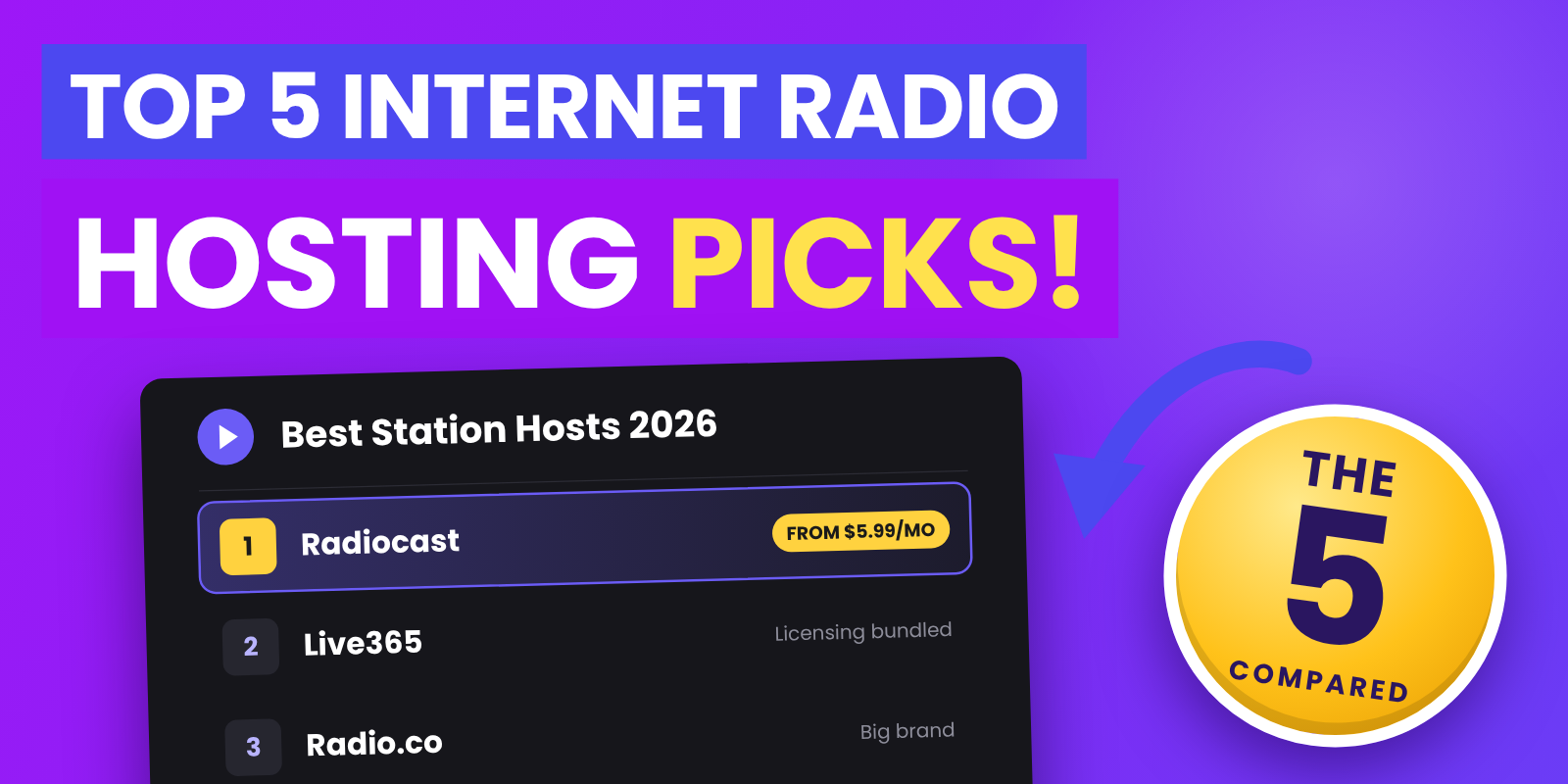
We compared price, listener limits, automation and licensing so you can pick the right home for your station.
- Key terms in plain English
- Quick comparison
- Price vs. capacity at a glance
- 1. Radiocast: all-in-one value
- 2. Live365: licensing handled for you
- 3. Radio.co: the established brand
- 4. RadioKing: players and widgets
- 5. AzuraCast: free and self-hosted
- Pros and cons at a glance
- Concurrent listeners vs. listening hours
- Which host should I choose?
- Checklist: questions to ask before you sign up
- Music licensing basics
- FAQ
- The bottom line
Starting an internet radio station is easier than it has ever been, but the platform you pick shapes almost everything that follows: what you pay each month, how many people can tune in, whether you're covered for music licensing, and how much time you spend maintaining servers instead of making radio.
We compared five popular internet radio hosting platforms on the things station owners ask us about most: price, listener limits, automation, live broadcasting and licensing. Here's what to know before you commit.
Good to know
About this comparison: Radiocast publishes this blog, so we've linked each competitor's own pricing page and used only the numbers they publish. All prices are in USD, billed monthly, and were checked on November 4, 2026. Hosting providers change their plans often, so confirm current pricing before you buy.
Key terms in plain English#
A few terms come up again and again when you compare radio hosts:
- AutoDJ: automation that plays your playlists, jingles and station IDs around the clock, so the station stays on air when nobody is live.
- Concurrent listeners (also called simultaneous listeners): how many people can be tuned in at the same moment.
- Listening hours (sometimes "total listening hours" or TLH): the total time everyone spent listening in a month. One person listening for one hour is one listening hour.
- Icecast: a widely used, open-source streaming server. Most broadcasting software can send audio to an Icecast server (Icecast documentation).
- HLS (HTTP Live Streaming): a modern streaming format that sends audio in small chunks, so it plays reliably on phones, smart TVs and patchy connections (HLS specification, RFC 8216).
- LUFS (Loudness Units relative to Full Scale): the standard measurement of how loud audio sounds to people. Broadcasters use it to keep volume consistent.
- SLA (service-level agreement): a written uptime commitment from a provider, usually with credits if they miss it.
Quick comparison#
| Platform | Starting price | Entry-plan listener limit | Storage | Licensing included? |
|---|---|---|---|---|
| Radiocast | $5.99/mo | 100 concurrent, no bandwidth cap | 10 GB | No |
| Live365 | $65/mo ($89 ad-free) | 1,500 listening hours/mo | 50 GB | Yes (US, Canada, Mexico) |
| Radio.co | $35/mo | 500 concurrent, ~18,000 listening hours/mo | 2 GB | No |
| RadioKing | $34/mo | Unlimited concurrent, 20,000 listening hours/mo | 10 GB | No |
| AzuraCast | Free + server costs | Set by your server | Your server | No |
Source: each provider's pricing page, checked November 4, 2026.
Price vs. capacity at a glance#
Listener limits are measured differently, so the simplest way to compare entry plans is to ask: how many listeners, on average, could this plan support if they were tuned in 24 hours a day for a 30-day month (720 hours)?
| Platform (entry plan) | Monthly price | Average listeners supported around the clock |
|---|---|---|
| Radiocast Professional | $5.99 | Up to 100 at once, with no monthly hours cap |
| RadioKing Start | $34 | About 27 (20,000 ÷ 720) |
| Radio.co Lite | $35 | About 25 (18,000 ÷ 720), with peaks up to 500 |
| Live365 Broadcast 1 | $65 | About 2 (1,500 ÷ 720), then $0.07 per extra hour |
| AzuraCast | Server cost | Depends on your server |
Source: provider pricing pages, checked November 4, 2026. Real audiences rise and fall through the day, so treat these as rough guides rather than exact limits.
1. Radiocast: all-in-one value#
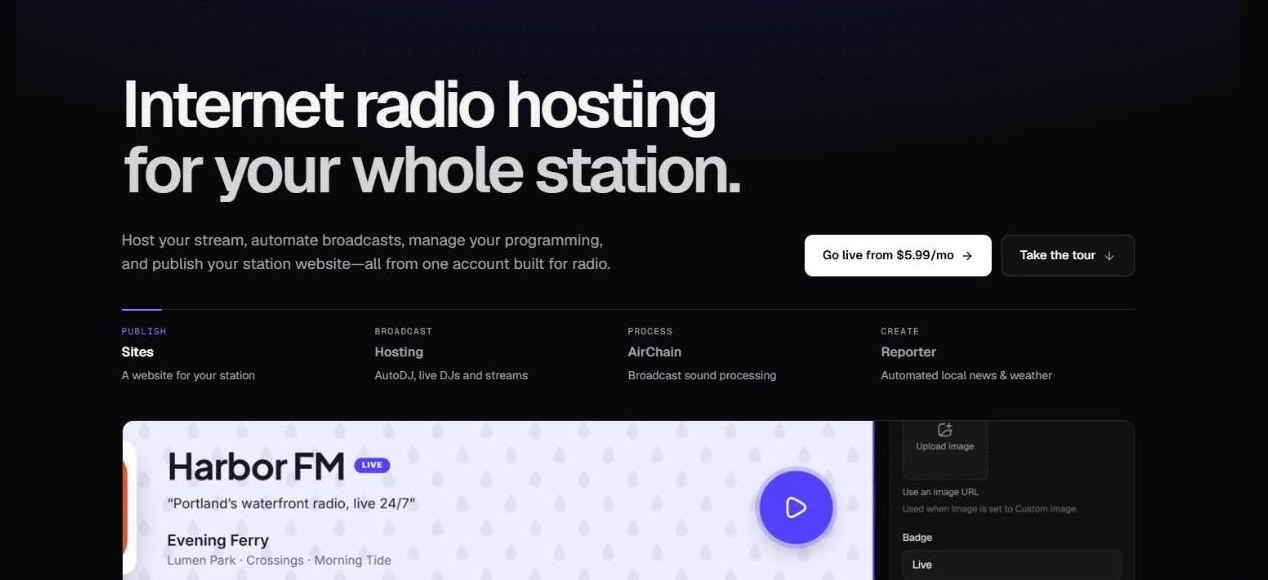
Quick facts: from $5.99/mo · 100 to 500 concurrent listeners (unlimited on Enterprise) · no bandwidth caps · bring your own license · best for new and growing stations
Radiocast is built for stations that want a professional sound without high monthly costs. Every plan includes AutoDJ. When a live DJ connects, they take over automatically; when they disconnect, AutoDJ picks right back up, so there's no dead air.
Technical features
- Browser-based Web DJ for going live without extra software, plus Icecast input if you already use broadcasting tools.
- HLS streaming on Small Business and above, for smoother playback on mobile networks.
- AirChain audio processing with 8 sound presets, A/B comparison and a LUFS loudness meter, so your station sounds consistent and as loud as other stations listeners flip between.
- Reporter, which builds automated local news, weather, traffic and sponsor segments over your music bed.
- Real-time analytics on every plan, plus song requests, podcasts, webhooks and a listener directory.
Service benefits
- No bandwidth caps on any plan. You won't get a surprise bill because a show took off.
- Radiocast Sites: station websites with a persistent player and a drag-and-drop editor.
- Radiocast Promise: an SLA-backed uptime commitment on Small Business and above.
Plans
- Professional, $5.99/mo: 10 GB storage, up to 100 concurrent listeners, AutoDJ
- Small Business, $8.99/mo: 50 GB storage, up to 200 concurrent listeners, HLS streaming, 100,000 Reporter credits
- Radiocast Max, $19.99/mo: 75 GB storage, up to 500 concurrent listeners, AirChain and Sites included, 500,000 Reporter credits
- Enterprise and Reseller: custom pricing, unlimited listeners and white-label options
Yearly billing gets you 2 months free.
Trade-offs: Radiocast doesn't bundle music licensing, so you'll arrange your own (see the licensing basics below). Listener limits are concurrent, so a station that regularly peaks above 100 listeners will need Small Business or Max.
Best for: hobbyists, community stations, churches, schools and small businesses that want automation, consistent sound and a website on one bill.
2. Live365: licensing handled for you#
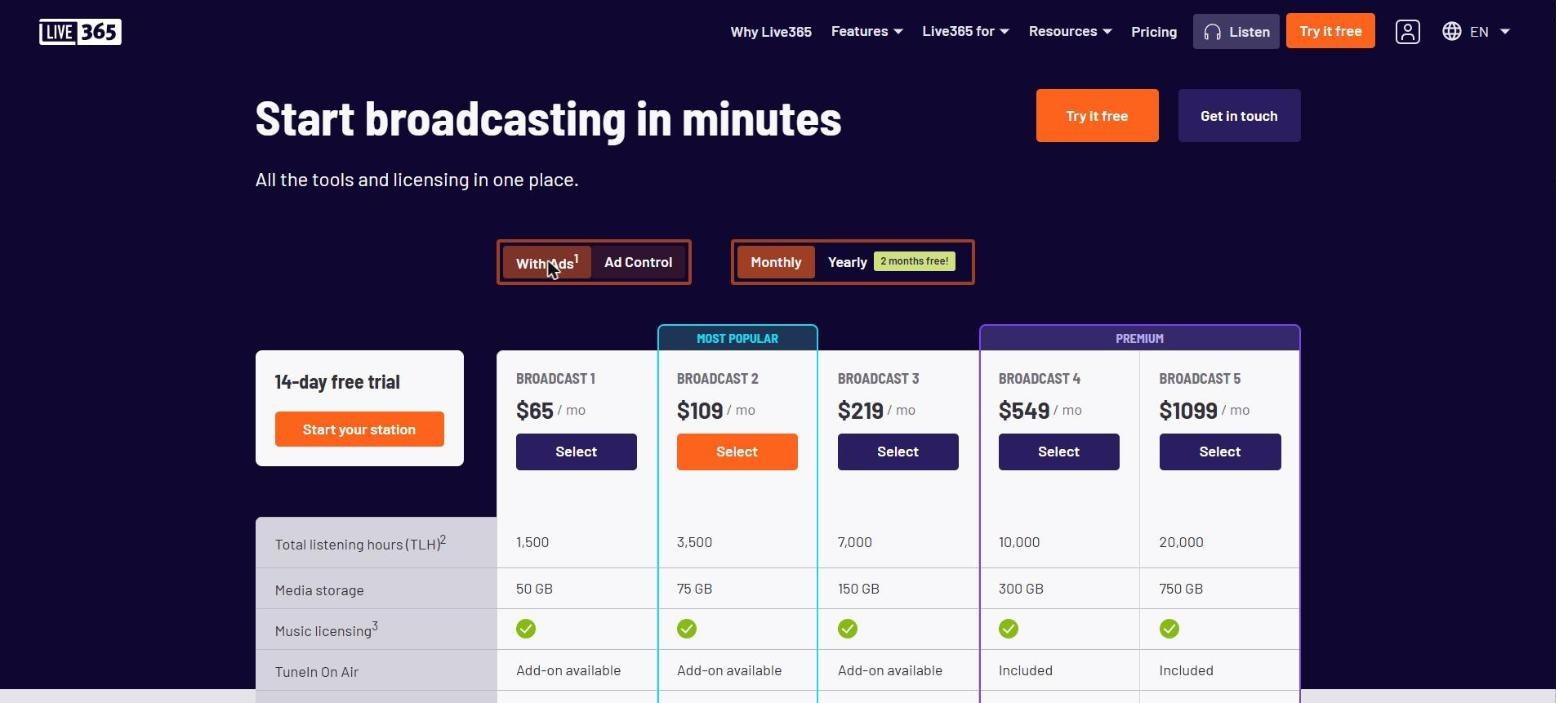
Quick facts: from $65/mo with Live365-sold ads or $89/mo ad-free · 1,500 listening hours/mo on the entry plan · 50 GB storage · licensing included · 14-day free trial
Live365 has been around for a long time, and its biggest selling point is that music licensing is included on every plan. If you play mostly commercial music and don't want to arrange licenses yourself, that convenience is real.
Plans (with Live365 ads / ad-free)
- Broadcast 1: $65 / $89 per month, 1,500 listening hours, 50 GB
- Broadcast 2: $109 / $149 per month, 3,500 listening hours, 75 GB
- Broadcast 3: $219 / $299 per month, 7,000 listening hours, 150 GB
- Broadcast 4: $549 / $729 per month, 10,000 listening hours, 300 GB
- Broadcast 5: $1,099 / $1,459 per month, 20,000 listening hours, 750 GB
Extra listening hours are billed at $0.07 each. On the "with ads" packages, Live365 runs ads on your stream and splits the revenue 50/50 with you.
Key features: licenses covering listeners in the US (through organizations including ASCAP, BMI, SESAC, GMR and SoundExchange), Canada and Mexico; TuneIn and app distribution as add-ons or on higher tiers; station management and analytics tools.
Trade-offs: It's the most expensive entry price on this list, and 1,500 listening hours works out to about two listeners around the clock. Licensing coverage depends on you sending accurate track information (metadata) for every song, and the license is held in Live365's name, so it doesn't follow you if you move hosts.
Best for: stations in the US, Canada or Mexico that value bundled licensing above price.
3. Radio.co: the established brand#
Quick facts: from $35/mo · 500 concurrent listeners and about 18,000 listening hours on the entry plan · 2 GB storage · no licensing · 14-day free trial
Radio.co is one of the best-known names in station hosting. It covers automation, live broadcasting, analytics and calendar-style scheduling, with branded apps and extra tools on higher plans.
Plans
- Lite, $35/mo: 2 GB (about 500 tracks), 500 concurrent listeners, about 18,000 listening hours, up to 192 kbps
- Standard, $59/mo: 20 GB, 20,000 concurrent listeners, about 360,000 listening hours, AI voice credits
- Plus, $139/mo: 75 GB, 500,000 concurrent listeners, mobile apps and Alexa skill
- Premium, $199/mo: 300 GB, unlimited listeners, up to 320 kbps, EDGE audio processor included
Key features: a polished interface, voice tracking, news bulletins, custom players and widgets, and podcast publishing through Podcast.co.
Trade-offs: Several standout features cost extra below the top tiers. The EDGE audio processor is a $20/mo add-on on Lite, Standard and Plus, and the website builder is $12/mo on every plan. Lite plus EDGE plus the website builder comes to $67/mo, compared with $19.99/mo for Radiocast Max, which has the same 500-listener cap and includes AirChain processing and Sites. Licensing isn't included.
Best for: established stations with a bigger budget that want a well-known brand and room to scale to very large audiences.
4. RadioKing: players and widgets#
Quick facts: from $34/mo (€29 or £29) · unlimited simultaneous listeners, 20,000 listening hours/mo · 10 GB storage · no licensing in the plan price · 14-day free trial, no card required
RadioKing is popular with European stations and puts a lot of effort into the listener-facing side: an attractive web player, embeddable widgets, team invitations and automation for live and scheduled programming.
Plans
- Start, $34/mo: 20,000 listening hours, 10 GB, 128 kbps MP3 stream
- Pro, $64/mo: 150,000 listening hours, 25 GB, MP3 and AAC up to 192 kbps
- Business, $119/mo: 500,000 listening hours, 50 GB, MP3 and AAC up to 320 kbps
Key features: good-looking players, embeddable widgets and simple team collaboration.
Trade-offs: Plans are capped by listening hours rather than concurrent listeners, the entry plan streams at 128 kbps, and licensing isn't part of the plan price.
Best for: stations that care most about a slick embedded player.
5. AzuraCast: free and self-hosted#
Quick facts: free, open-source software · you pay for your own server · limits set by your server and bandwidth · no licensing · community support
AzuraCast is a self-hosted radio management suite. You install it on your own server (it runs in Docker) and get AutoDJ, live DJ input, scheduling and Icecast streaming without paying a platform fee.
Key features: full control over your setup and no software cost.
Trade-offs: You're responsible for the server, security updates, backups, bandwidth and uptime, and there's no support desk to call when the stream goes down at 2 a.m. Once you count a reliable server, backups and your own time, the total cost can exceed a low-cost managed plan.
Best for: technical owners who enjoy running servers.
Pros and cons at a glance#
| Platform | Pros | Cons |
|---|---|---|
| Radiocast | Lowest entry price, no bandwidth caps, AutoDJ, processing, news segments and website in one place | No bundled licensing; concurrent caps on lower plans |
| Live365 | Licensing included on every plan; distribution add-ons | Highest entry price; small listening-hour allowance; licence doesn't move with you |
| Radio.co | Well-known brand; scales to very large audiences | 2 GB on Lite; processing and website builder cost extra |
| RadioKing | Polished players and widgets; unlimited simultaneous listeners | Listening-hour caps; 128 kbps on Start |
| AzuraCast | Free software; full control | You run the server, security and backups yourself |
Concurrent listeners vs. listening hours#
This is the difference that catches most new stations out, so here's a worked example.
Example
Say your station averages 10 listeners at any given moment, around the clock, with a peak of 40 during your evening show.
- Concurrent-listener plans only care about the peak: you need room for 40 at once. Radiocast Professional (100 concurrent) or Radio.co Lite (500 concurrent) covers it.
- Listening-hour plans add everything up: 10 listeners × 24 hours × 30 days = 7,200 listening hours a month. RadioKing Start (20,000 hours) covers it. Live365 Broadcast 1 (1,500 hours) does not; you'd need Broadcast 3 ($219/mo, 7,000 hours) plus about $14 in overage, or Broadcast 4.
If your audience is growing, check what happens when you go over: some hosts bill overages, others pause or throttle the stream.
Which host should I choose?#
Work down this list and stop at the first "yes":
- Do you play commercial music, want licensing handled for you, and have listeners mainly in the US, Canada or Mexico? Consider Live365.
- Are you comfortable running and securing your own Linux server? Consider AzuraCast.
- Is your budget under $35 a month, or do you want AutoDJ, audio processing and a website on one bill? Consider Radiocast.
- Is a custom embeddable player your top priority? Consider RadioKing.
- Do you want a long-established brand with apps and an Alexa skill on higher tiers? Consider Radio.co.
Checklist: questions to ask before you sign up#
- What's my real monthly budget? Entry prices on this list range from free to $65. Look at the plan you'll actually need in six months, including add-ons, not just the cheapest tier.
- How many listeners do I expect? Check whether a plan limits concurrent listeners or listening hours, what happens when you go over, and whether bandwidth is capped.
- Do I need 24/7 automation? An AutoDJ that hands off smoothly to live DJs is essential for most stations.
- How will I handle licensing? Bundled licensing is convenient but tied to that host. Arranging your own takes more effort upfront but stays with you if you switch.
- How much do I want to manage myself? Self-hosting saves on platform fees; managed hosting saves time and support headaches.
Music licensing basics#
Watch out
This is general information, not legal advice. Licensing rules depend on the country you broadcast from, where your listeners are and what you play.
Every commercial song has two separate copyrights, and an online station usually needs permission for both:
- The composition: the melody and lyrics, owned by songwriters and publishers. In the US, performing rights organizations (PROs) such as ASCAP, BMI, SESAC and GMR license public performances of compositions.
- The sound recording: the specific recorded performance, usually owned by a record label or the artist. In the US, SoundExchange collects royalties for webcasters streaming sound recordings under the statutory license.
For an official overview of US copyright, see the U.S. Copyright Office FAQ. Original, royalty-free or directly licensed music is simpler, because you either own the rights or the license comes with the track.
FAQ#
What's the difference between concurrent listeners and listening hours?
Concurrent listeners is how many people can listen at the same moment. Listening hours is the total time everyone listened over the month. A plan with a high concurrent limit and no hours cap suits stations with a steady audience; an hours-based plan suits stations with short bursts of listening.
Do I need a music licence if I host with Radiocast?
If you play commercial music, yes. Radiocast doesn't bundle licensing, so you'll arrange licenses for the countries your listeners are in. If you only play your own or royalty-free music, you may not need any.
How does AutoDJ hand over to a live DJ?
When a live DJ connects (through the browser-based Web DJ or Icecast-compatible software), the stream switches to them automatically. When they disconnect, AutoDJ resumes your schedule, so listeners never hear silence.
Can I switch hosts later?
Yes. Your music library, stream links and website may need moving, and if your licensing was bundled with your old host, you'll need new licenses.
Is self-hosting cheaper?
On platform fees, yes. Once you add a reliable server, backups and the time spent on maintenance, it often costs about the same as, or more than, an entry-level managed plan.
The bottom line#
All five platforms can get you on the air, but they suit different stations:
| Platform | Best for | Starting price | Licensing included | Next step |
|---|---|---|---|---|
| Live365 | Bundled licensing | $65/mo | Yes | Compare its listening-hour allowances with your expected audience |
| Radio.co | A well-known brand at scale | $35/mo | No | Price out the add-ons you need on its pricing page |
| RadioKing | A slick embedded player | $34/mo | No | Check the bitrate and hours on its pricing page |
| AzuraCast | Running your own server | Server costs | No | Read the installation guide before choosing a server |
| Radiocast | Most features for the price, with no bandwidth caps | $5.99/mo | No | Start a station and test AutoDJ on the Professional plan |
For most new and growing stations, Radiocast offers AutoDJ, live broadcasting, audio processing, automated news segments and a station website on one plan. Radiocast Max includes all of that for $19.99/mo, about 70% less than a Radio.co Lite setup with its EDGE processor and website builder add-ons ($67/mo) at the same 500-listener cap (prices checked November 4, 2026).
Ready to go live? Start your Radiocast station today, with plans from $5.99/mo.
Ready to go on air?
Internet radio hosting with AutoDJ, live DJs, and analytics. Plans start at $5.99/mo.
See hosting plans