Broadcast audio processingfor internet radio.
AirChain evens out your stream's loudness and gives it the polished, consistent sound listeners expect from FM, without a hardware processor or an engineer on call.
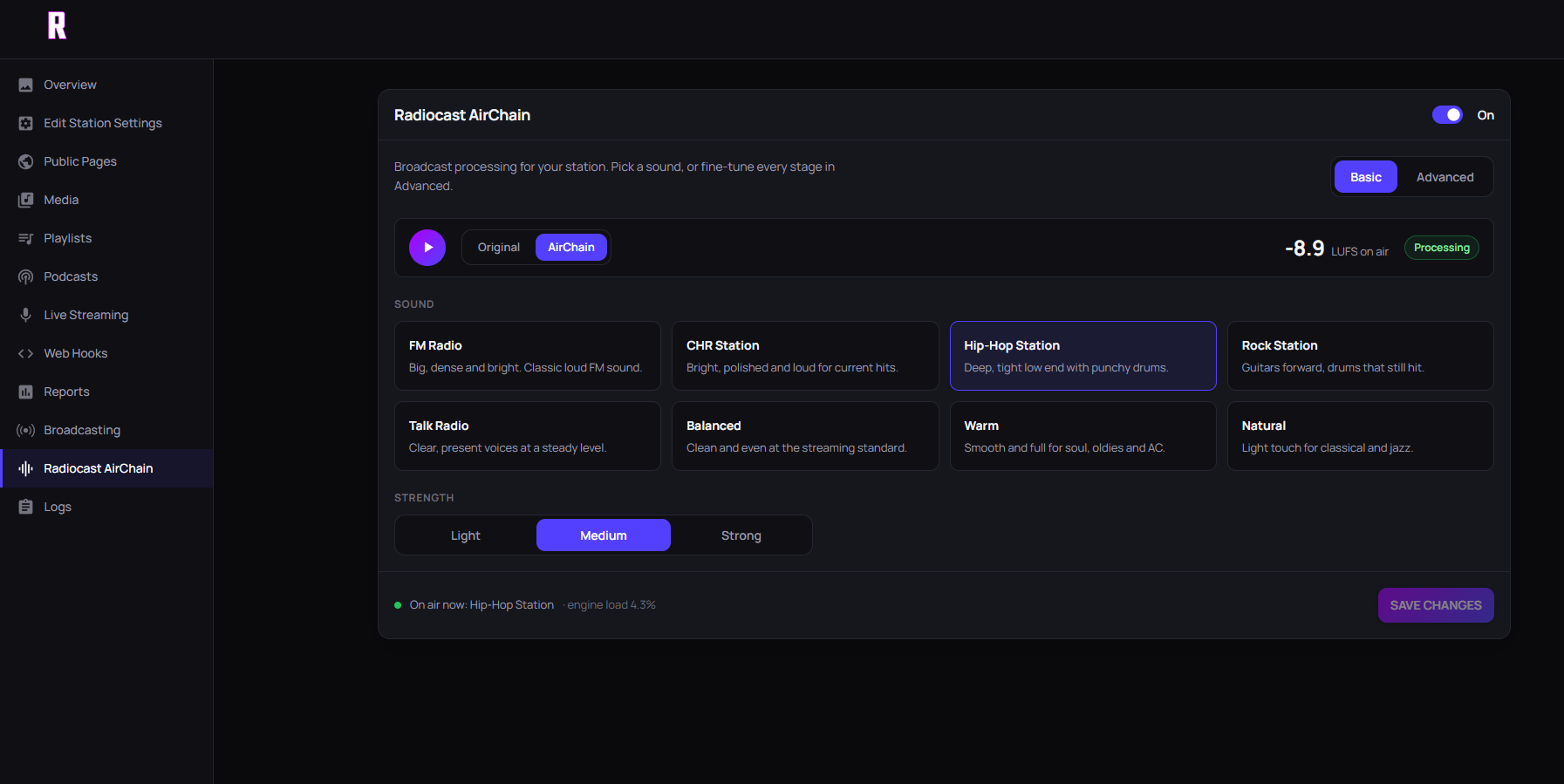
No processing degree required.
Choose a preset
Start from a sound that suits your format, from gentle to FM-loud.
Set the strength
Dial processing up or down until it sounds right for your music.
Compare with A/B
Flip between your original and processed audio, and watch the LUFS meter.
Your playlist wasn't mastered to sit side by side.
Even loudness
Quiet tracks and loud masters land at a similar level, so listeners stop reaching for the volume.
Voices that cut through
Links, live shows and ads sit clearly next to the music instead of dipping under it.
An on-air sound
The dense, consistent sound people know from FM, on an internet stream.
No rack to buy
Set up from your Radiocast dashboard. Nothing to install on your studio computer.
What LUFS means for your stream.
LUFS (loudness units relative to full scale) measures how loud audio sounds to a person, not just how tall its peaks are. Two tracks can peak at the same level and still sound very different in loudness; LUFS captures that difference.
Many streaming services normalize music to around −14 LUFS, and it's a sensible target for an internet radio stream. Broadcast TV in Europe uses −23 LUFS under EBU R128, which suits long programs with lots of dynamic range but sounds quiet next to a music stream.
AirChain's live meter shows your output level so you can see where your stream lands. The example above shows the idea: an unprocessed source sitting around −22.6 LUFS, brought up to the −14 target.
What a broadcast processing chain does
A radio processor is a chain of steps. Leveling (AGC) rides gain slowly so quiet and loud songs meet in the middle. Compression, often split across frequency bands, controls how much the level moves inside a song and shapes the tone. A final limiter catches peaks so the stream stays loud without clipping.
Getting that chain right by hand takes time and a trained ear. AirChain packages it into presets, and the strength control decides how hard it works.
Illustration only: this LUFS meter is a visual example. Your dashboard meter shows your stream's real level.
Included with Radiocast Max.
- Professional · $5.99/mo
- Not included. Stereo Tool hosting available as an add-on.
- Small Business · $8.99/mo
- Not included. Stereo Tool hosting available as an add-on.
- Radiocast Max · $19.99/mo
- Included
- Enterprise & Reseller
- Included
Stereo Tool hosting is a paid add-on on every plan and requires a separate license key from Thimeo Audio Technology. It can't run at the same time as master_me processing.
Questions, answered.
The short version of what stations ask before switching processing on.
AirChain is the broadcast sound processing built into Radiocast. You pick a preset and a strength, and your stream comes out at a steadier, more consistent loudness, closer to what listeners expect from an FM station.
LUFS (loudness units relative to full scale) measures how loud audio sounds to people, not just how high its peaks are. Many streaming services normalize music to around −14 LUFS, which is a sensible target for an internet radio stream. AirChain shows your output on a live LUFS meter.
Not if you set it to taste. Every preset has a strength control, and the A/B switch lets you compare your original audio with the processed output before you commit.
No. AirChain is set up from your Radiocast dashboard, so there is no rack processor to buy and nothing extra to install on your studio computer.
AirChain is included with Radiocast Max ($19.99/mo) and higher plans, including Enterprise and Reseller.
Yes. Stereo Tool hosting is a paid add-on on every plan and needs a separate license key from Thimeo Audio Technology. It can’t run at the same time as master_me processing.
Make your stream sound premium.
Move to Radiocast Max and turn AirChain on from your dashboard.