WHAT YOU WILL LEARN
- A hosted platform gives you the streaming infrastructure, so you can focus on content.
- Build a reliable stream, organized media library, and clear schedule first.
- Use AutoDJ for 24/7 playback and live broadcasting for shows.
- Add tools like Radiocast Sites, AirChain, and Reporter for a higher-quality station.
In this lesson
You don’t need a transmitter, an FM radio frequency, or your own streaming server. In this article, we go over how to start an internet radio station in 2026.
With an internet radio hosting platform like Radiocast, the hosting company runs the streaming infrastructure. You focus on what really matters with your station, which is your programming, branding, and expanding your audience.
What is an Internet Radio Station?#
An internet radio station is a continuous audio broadcast delivered over the internet instead of through an AM or FM transmitter. Listeners can tune in through a web player, station website, directory, mobile app, or internet radio playback device.
Unlike an on-demand music service, a station streams a programmed schedule, and listeners join whatever is playing. Stations often broadcast music, talk shows, church services, school and campus programming, news, podcasts, live DJ sets, or a mix of these.
What Do You Need to Start an Internet Radio Station?#
You can start with very little:
- A station concept: name, format, target audience, and the kind of programming you’ll air.
- Audio to broadcast: music, jingles, station IDs, and (optionally but recommended) shows.
- A computer and internet connection to manage your library and settings.
- A hosting platform that provides the streaming server, AutoDJ, and live broadcasting.
For an AutoDJ-based station, your computer doesn’t need to stay on. Radiocast’s servers run the stream. For live shows, you’ll want a microphone, headphones, and broadcast software. A mixer and audio interface can come later.
How to Start an Internet Radio Station With Radiocast (Just 10 Steps!)#
1. Choose an internet radio hosting plan
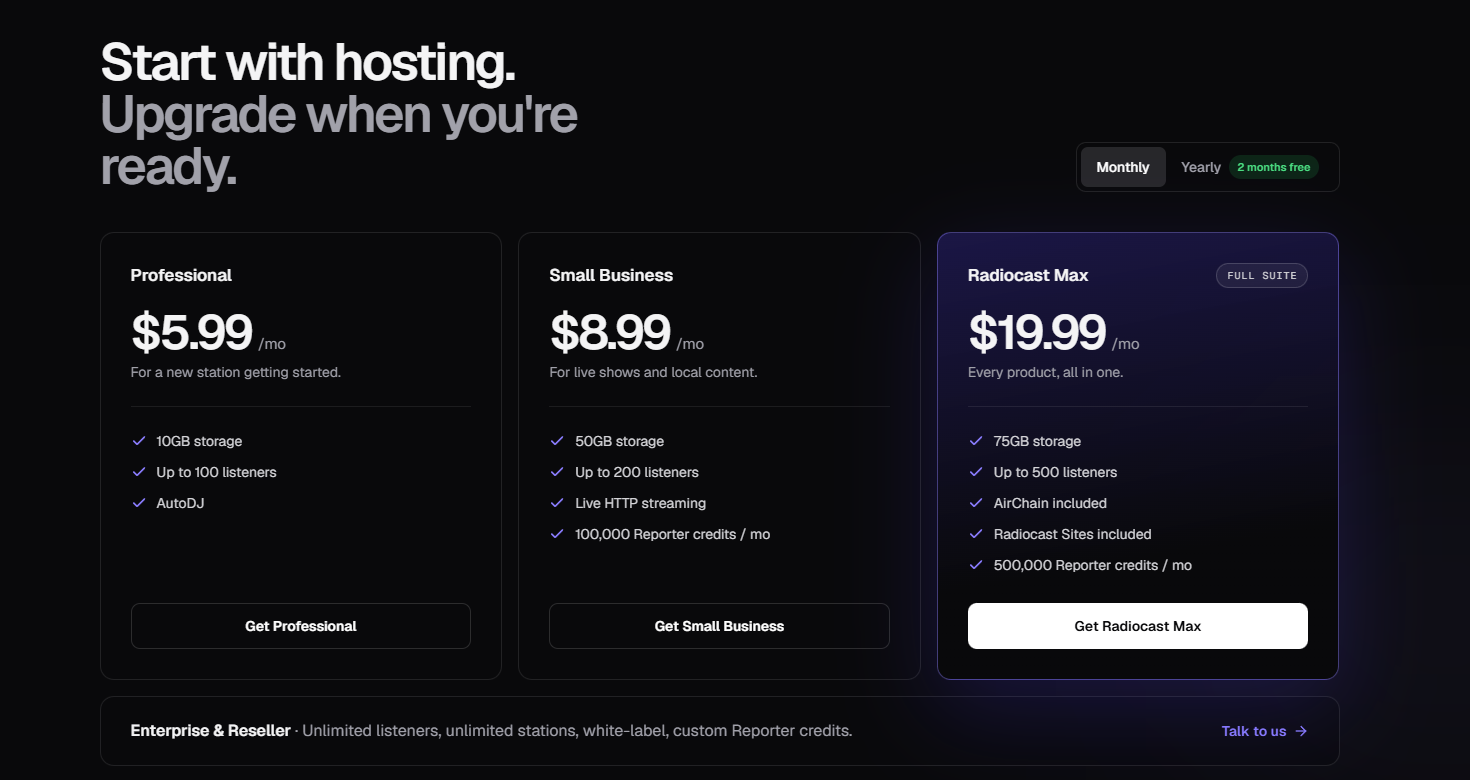
Visit Radiocast's internet radio hosting offerings and compare plans by storage, listener capacity, and features. Radiocast Hosting provides 24/7 streaming, AutoDJ, scheduling, DJ accounts, analytics, and live broadcasting capabilities, with exact features and limits depending on your plan. Professional, Small Business, and Radiocast Max support streams up to 192 kbps. Enterprise and Reseller support up to 320 kbps. Check the pricing page for current plan details.
If you also want a website, audio processing, and automated content, Radiocast MAX bundles Hosting, Sites, AirChain, and Reporter.
2. Create your station
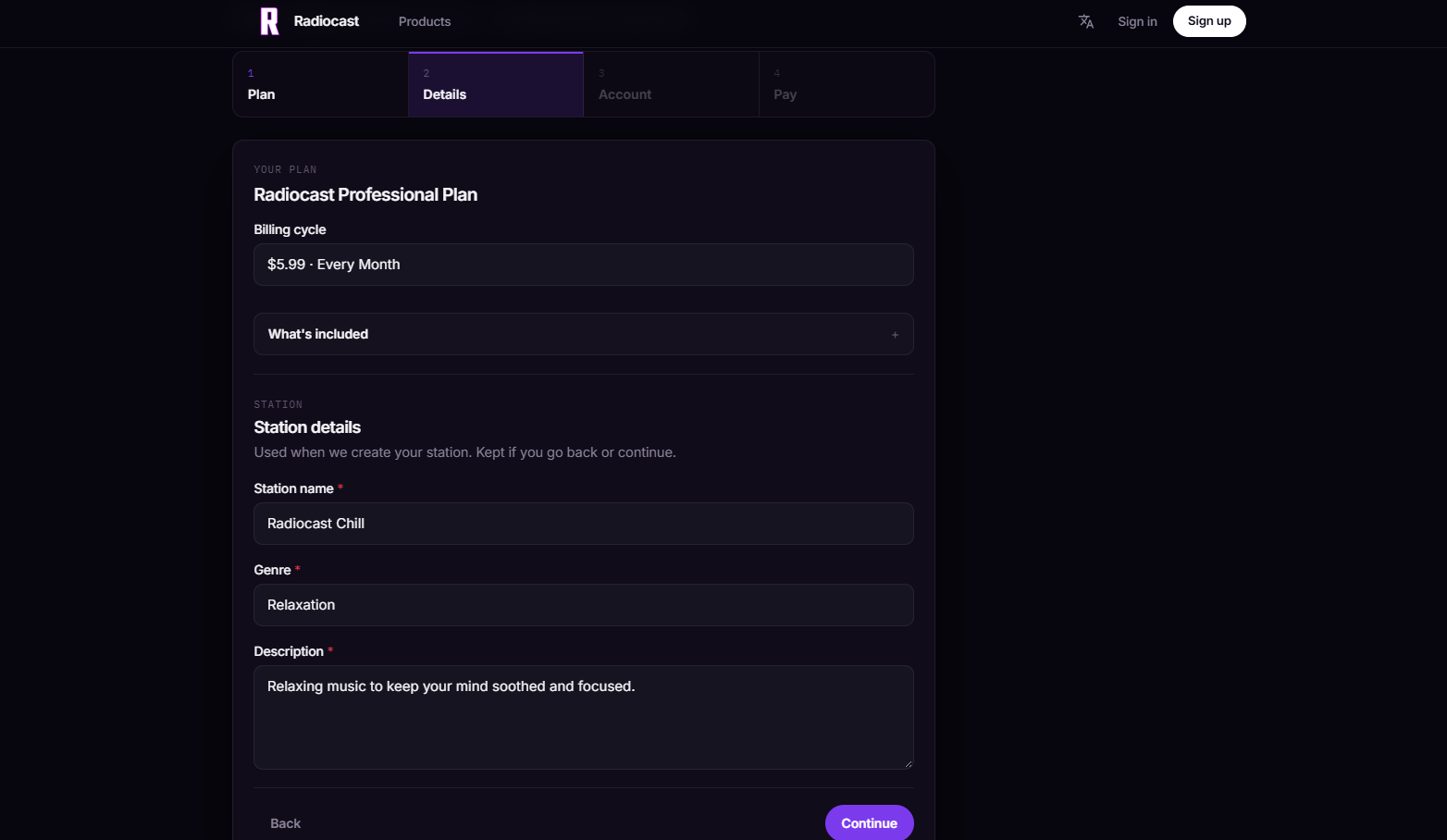
Click on the plan you are interested in to begin creating your station. Then, sign into the Radiocast Billing Portal when redirected and enter its name, description, and genre. Accurate details help directories and anyone accessing your station over our API understand what you play once you decide to put your station out there.
3. Configure your station settings
Review your settings before you add content. You can change them any time as the station grows and evolves.
4. Upload your audio library
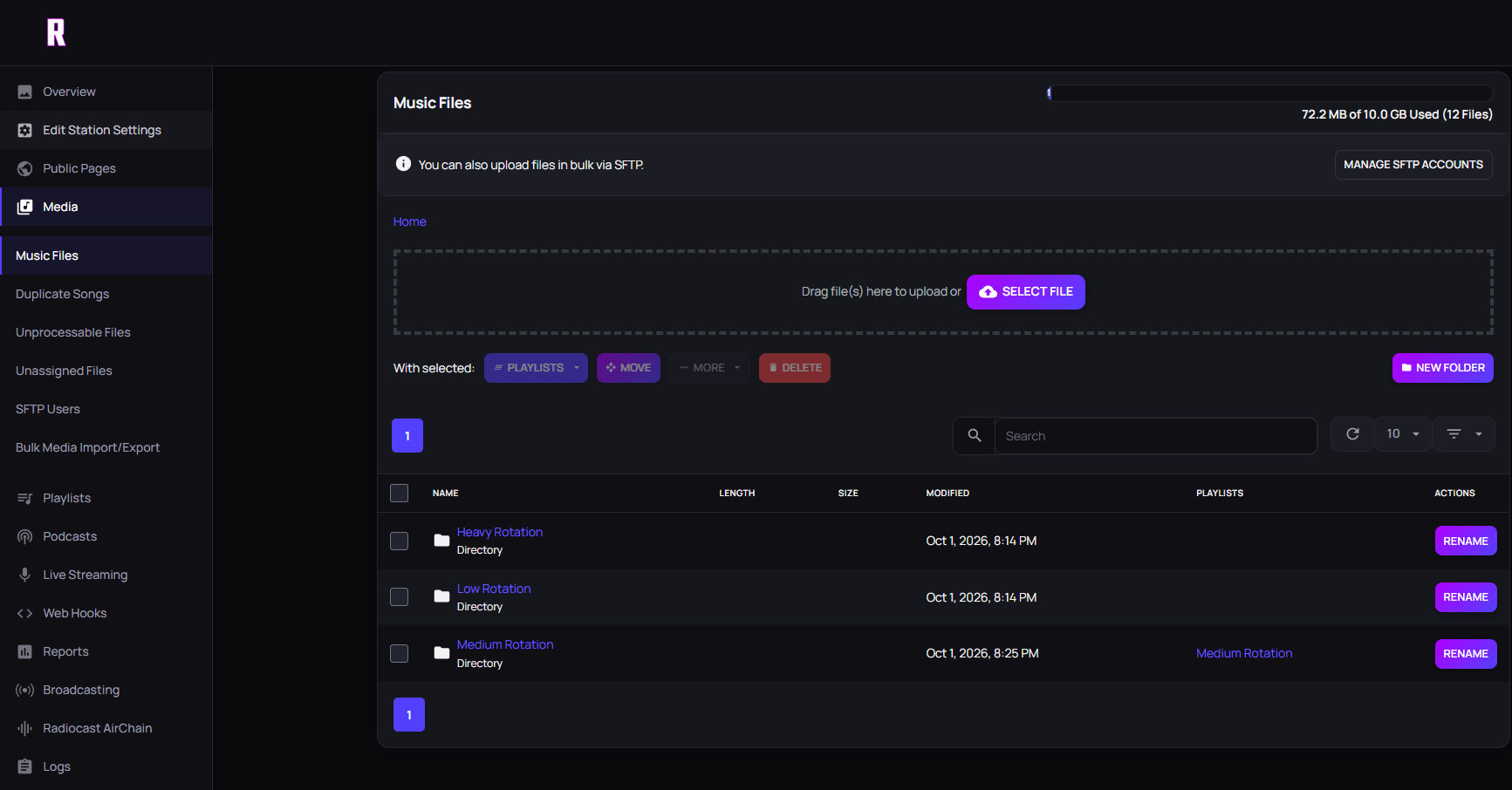
Open your media library and upload songs, jingles, station IDs, prerecorded shows, and interviews. Use clear file names and tags. A tidy library makes scheduling much easier.
5. Create playlists for AutoDJ
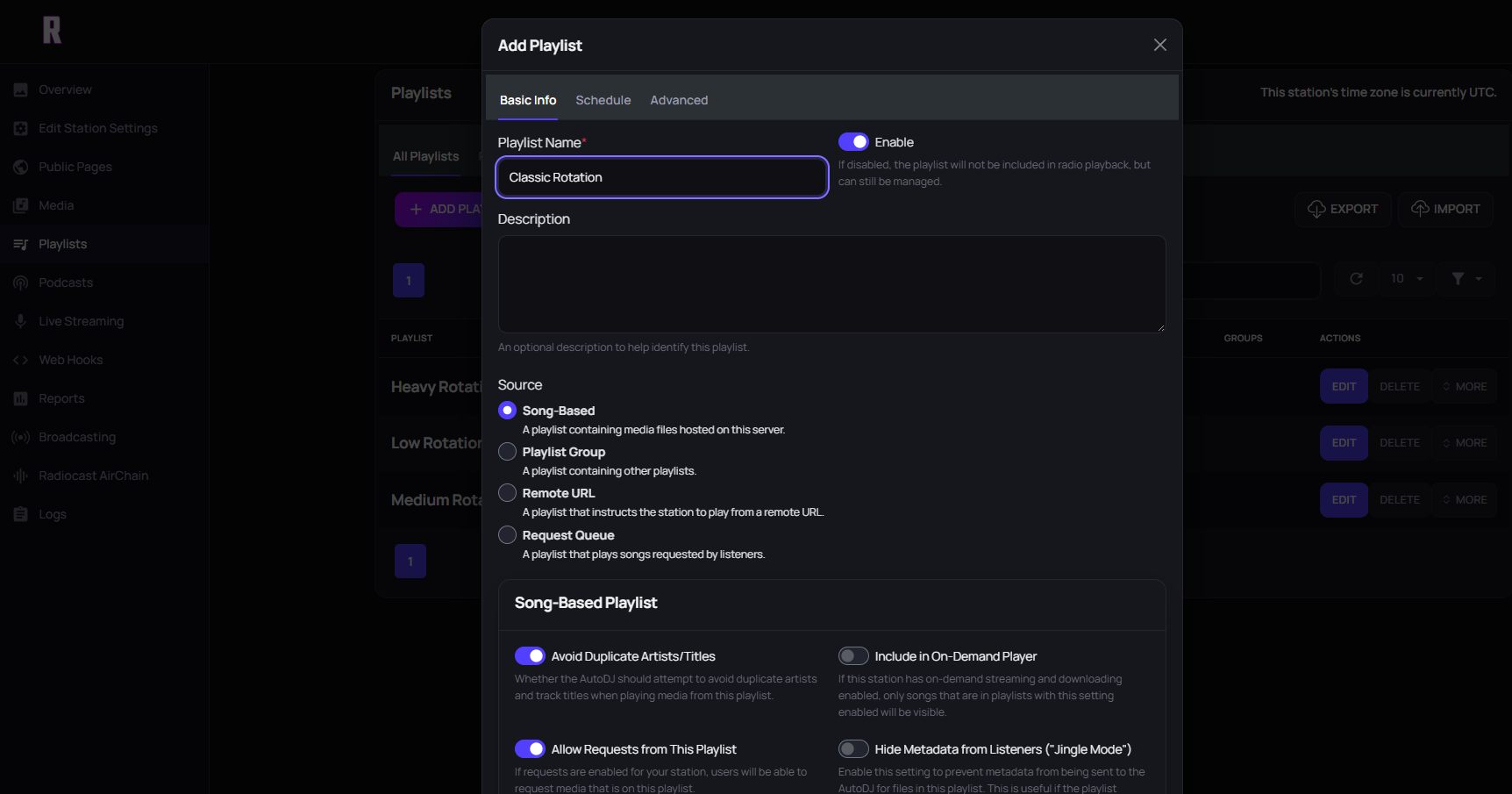
Playlists tell AutoDJ what to play. Common ones include main rotation, new releases, overnight, station IDs, and specialty shows.
6. Set up scheduling and rotation
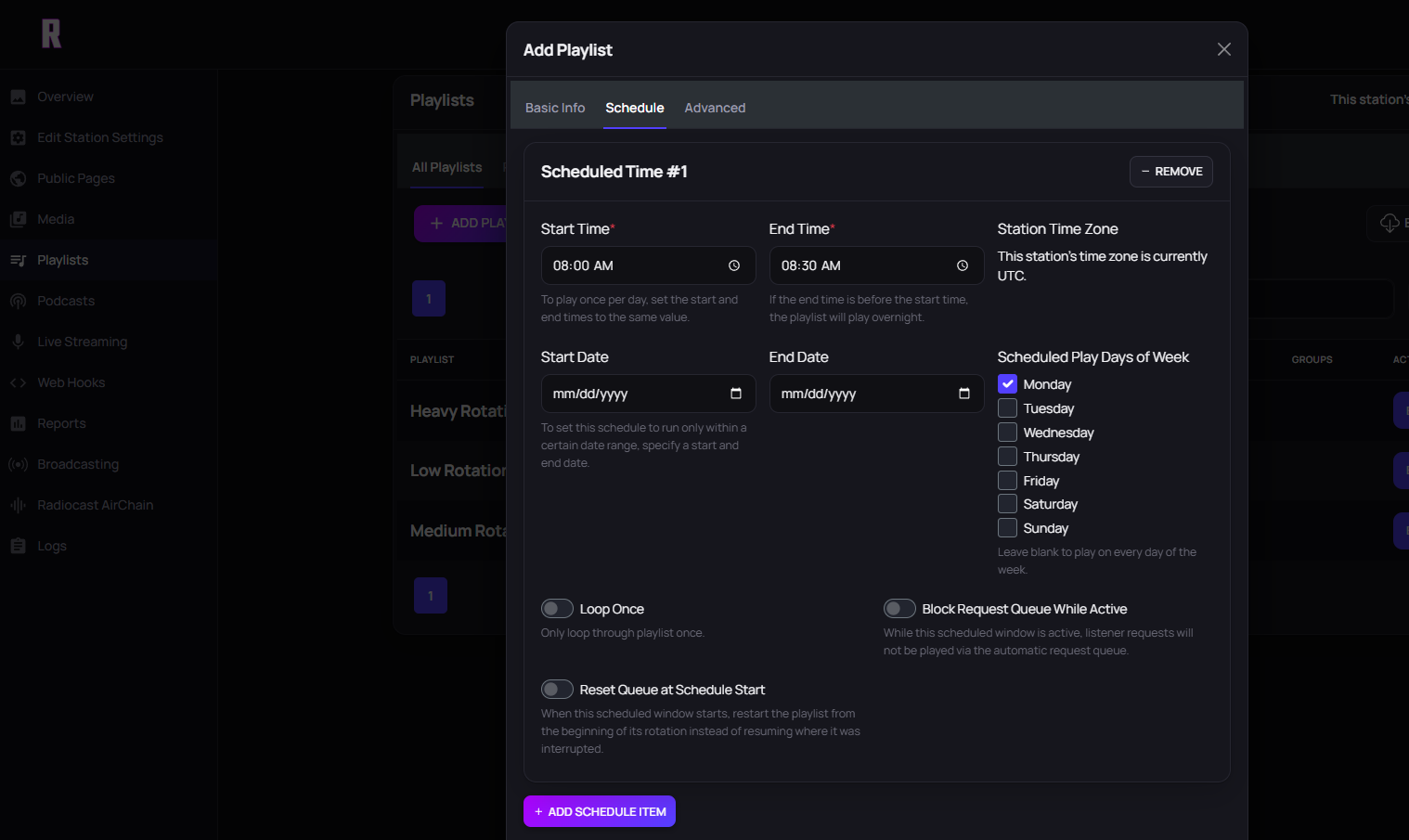
Decide when each playlist runs. For example, run your main rotation through the day and a slower-format show every evening.
7. Configure live broadcasting
AutoDJ and live shows work together. Radiocast gives you the connection details to send a live broadcast from compatible broadcast software. If you have multiple presenters, create separate DJ accounts so each one has their own access. Only give credentials to people who should have them.
8. Add audio processing (optional)
Audio processing evens out loudness and shapes your sound. Radiocast AirChain is Radiocast’s audio-processing engine for stations that want a more polished, consistent sound. Good source audio matters more than heavy processing, so apply it carefully.
9. Get your stream and listening links
Radiocast provides stream details you can use in a web player, your station website, directories, and apps. If you don’t have a website yet, Radiocast Sites lets you build a website connected to your station data. Every Sites project gets a free yourstation.radiosite.net address, and you can connect your own domain. Sites is included with Radiocast MAX.
10. Test before you promote
Listen on several devices and networks. Check that:
- AutoDJ transitions smoothly
- Now-playing metadata is correct
- Your live connection works
- Scheduled shows start on time
- The stream stays up after you close your computer
How AutoDJ Keeps Your Station Online#
AutoDJ is server-side automation. It plays your uploaded media according to your playlists and schedule, so your station keeps broadcasting while you sleep, travel, or prepare a live show. You still decide what plays. AutoDJ just handles the playback.
AutoDJ vs. Live Broadcasting#
You don’t have to choose. Most stations use both: AutoDJ handles regular programming, a DJ connects for a live show, and automation resumes when the show ends. This is how a small team can run a 24/7 station.
Build a Programming Schedule#
A station is a schedule, not one big folder of songs. Think in dayparts: a daytime rotation, an evening specialty show, and an overnight playlist with a different feel. Mix in station IDs, interviews, news, weather, and prerecorded segments. Consistent scheduling gives listeners a reason to come back.
If you want news, weather, and short segments produced for you, Radiocast Reporter can generate scripts, text-to-speech, intros, transitions, and sponsor reads.
Broadcasting Live#
For live shows, your broadcast software (such as Mixxx encodes your audio and sends it to your station using the credentials your host provides. A simple setup could be as simple as a microphone and a laptop, with your station in the cloud. Larger stations typically add mixers, DJ decks, and a dedicated studio computer. Start with what you need and grow from there.
After You Launch#
Listen to your own station regularly. Check for repeating songs, awkward transitions, and schedule errors. Then use listener data to improve.